



The part everybody is talking about
I have to admit that I am joining the crowd of people excited about Instinct AI. I’ve used OpenClaw, and I’m now using Hermes instead on my dedicated Mac mini. Unlike these agents, Instinct runs in the cloud. Like OpenClaw and Hermes, Instinct reads email and calendars and can operate with very little guidance. In my case, it only sees a separate Google account I set up just for AI, which I explain below. As a retired person who isn’t always chained to a desktop computer, I particularly appreciate the ability to communicate with my AI agents using iMessage. For example, Thursday morning I got my normal 7am reminder of my calendar, including commute time and elevator/garage transaction time.
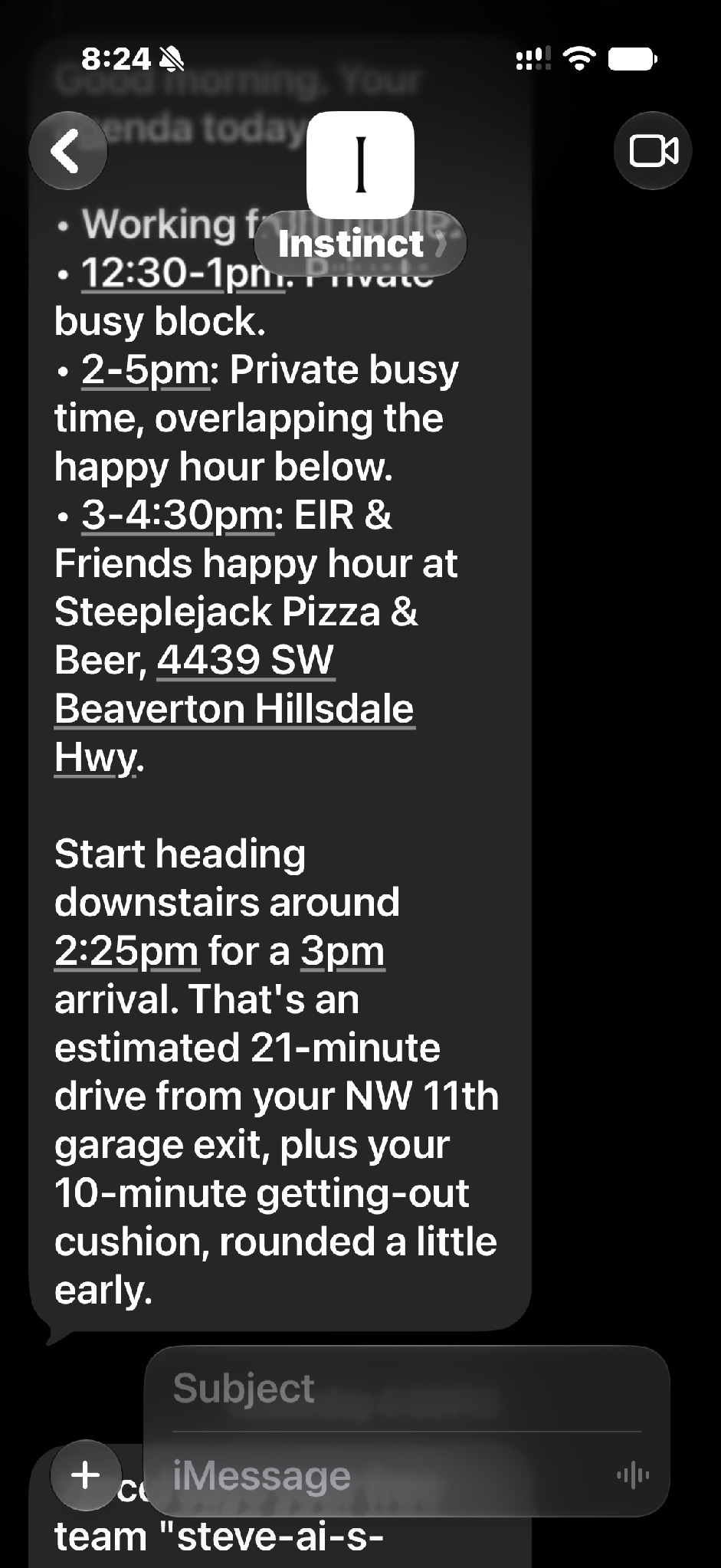
Unlike Hermes, Instinct needs no crontab, MCP integrations, or .env files, because it was designed for end users, not just developers and power users. My problem with all of the AI agents I’ve played with, including Instinct, is that it remains hard to compartmentalize what the AI can see and do. I’d like more turnkey ways to limit access to data, secrets, and payments, while making it clear to me and to others what I’m doing versus what the agent is doing.
Credentials are only a start
A lot of people think these AI agents are secure because using them doesn’t require handing over any passwords. However, even though I haven’t given my AI agents my Google password, I’ve so far “authorized” them to do a lot.
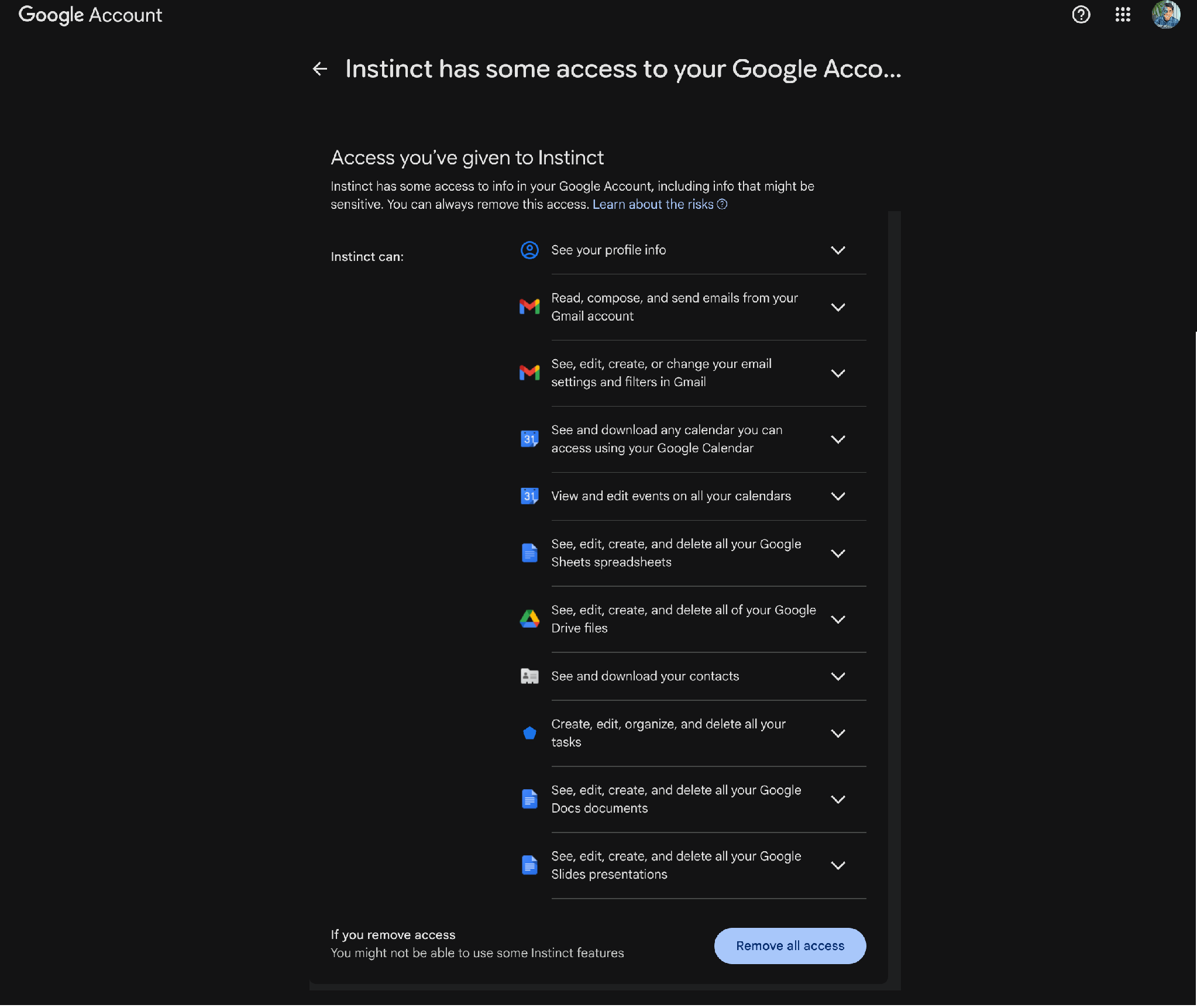
Security conversations about AI often start with credentials because they are familiar. Earlier this year, I wrote about keeping my API keys away from Claude by moving them into 1Password, and that work was worth doing. However, the bigger exposure is the data an agent can reach after login. “Read my email” is an easy permission to grant, yet it covers years of personal correspondence, business discussions, receipts, and travel confirmations. The same is true of Google Drive, where I may want help with one condo project without exposing my financial records, personal letters, or medical reports that I happen to store in the same account. An agent reading those files isn’t necessarily being malicious. It might simply be trying very hard to be useful by looking for more context.
I think of AI access less as a password-management problem and more as a compartmentalization problem. I am concerned about what my AI can see and do after it gets into my accounts. I want to ensure that keeping my data secure is built into the system rather than dependent on the AI following instructions in a prompt.
What I did for the condo EV project
An example of compartmentalization came to me while working on my condo’s EV (electric vehicle) committee. We are working on a shared charging system for the building. I wanted AI to help analyze long email threads, proposed agreements, newsletters, owner communications, and the condo association’s governing documents that constrained what we could do. The easiest approach would have been to connect an agent to my everyday Google account and tell it where to look. I did not want to do that because I didn’t want other aspects of my personal life to be accidentally shared with other members of the EV committee or the community as a whole.
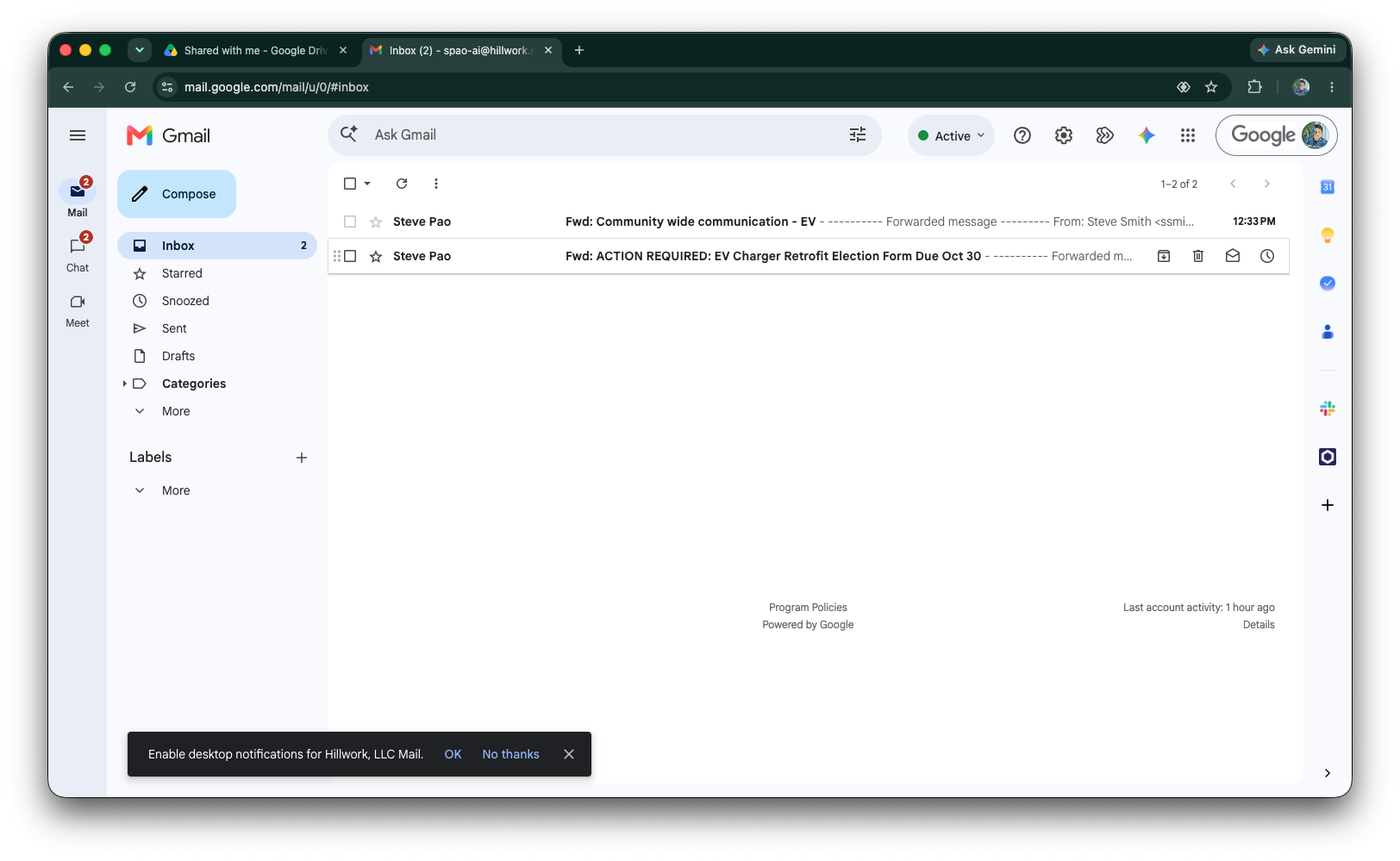
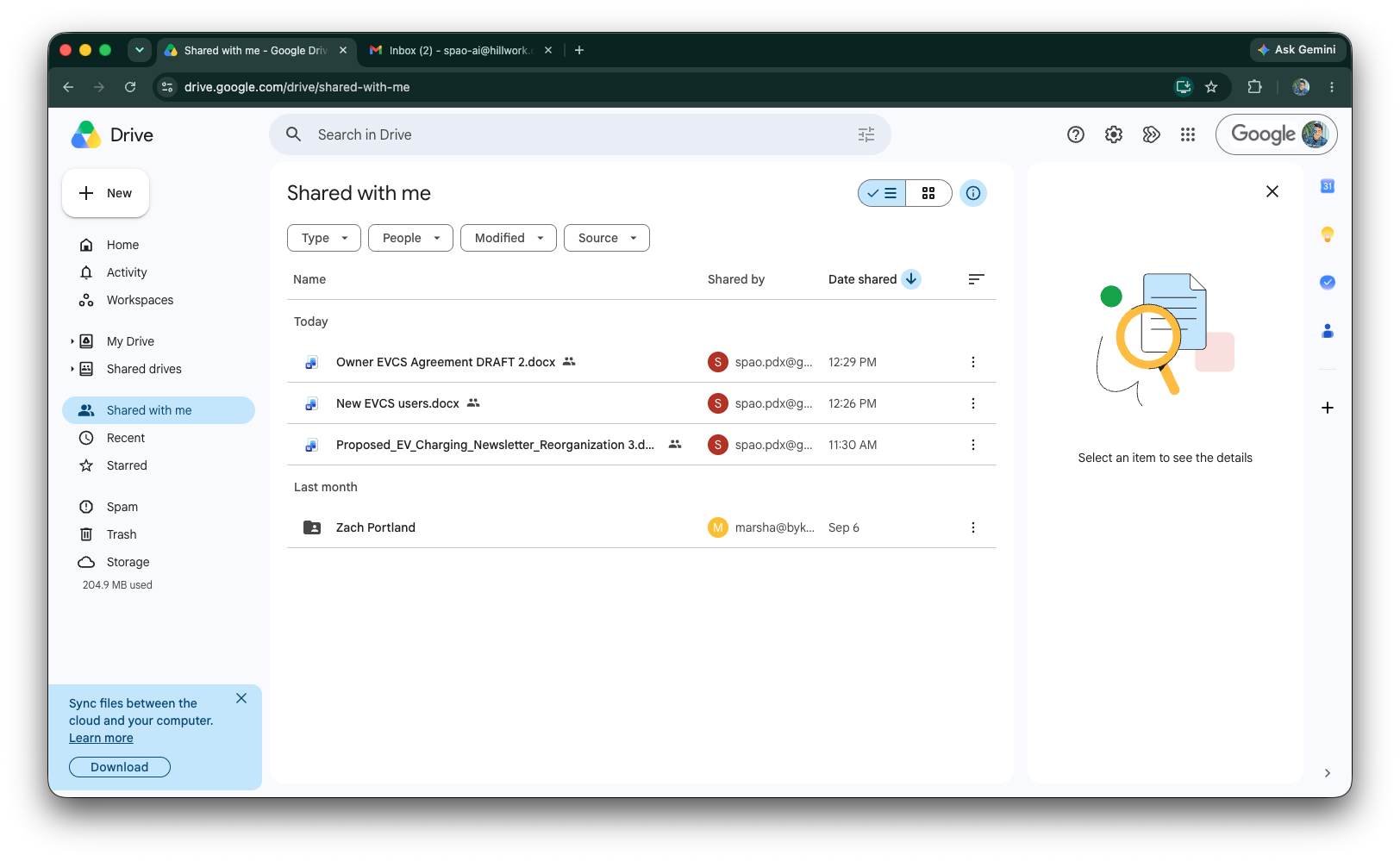
Instead, I connected Instinct AI to a separate Google account that I created just for use by AI. I forwarded the relevant email threads to that address and shared only the relevant Google Drive files with it. These are committee business threads rather than personal correspondence, and I avoid forwarding anything personal. The other committee members also know I use AI to help with this work. By forwarding and sharing selectively, I drew the boundary around what the AI could actually see. I didn’t want to rely on some instructions in a prompt telling the AI to please stay within scope. I know from experience that AI can often “forget” these types of instructions.
I took the same approach with my calendars. I used Google Calendar’s sharing feature to explicitly share my other calendars with the AI account. A couple of my consulting clients only allow free/busy information to be shared across accounts, so for those calendars the AI can see when I’m busy but not what the meetings are about.
There is a tradeoff with this approach. I have to choose what to forward and what to share. As new information comes in, I find that I have to remember to forward an email to the agent. But that small amount of friction also serves as a review step, forcing me to define the information the AI uses. Personally, I would rather make that choice explicitly than discover later that an agent decided an unrelated piece of very personal information looked relevant to share. Of course, the separate Google account is also a viable attack target, but an attacker who got into it would find only what I chose to give it.
Even these forms of compartmentalization have limits. Anything Instinct reads in the AI account, or anything I tell it directly like my home address, can end up in its memory. Revoking its access later doesn’t necessarily erase what the AI has already learned. The company behind Instinct can also see whatever I put in the AI account. The separate account allows me to decide what data goes into the compartment, but it doesn’t make what’s inside the compartment private.
An AI needs an identity people can recognize
I have taken the separation one step further. The Google identity has its own email address and even its own avatar in Gmail. I think this separation is useful for both my recipients and for me. My recipients can clearly see when a message is coming from my AI and not me personally. I also appreciate the audit trail, so I can see what the agent sent separately from what I sent.
For the committee work, though, I rarely let the AI send anything on its own. I prefer to review every message first, send it myself, and disclose that I used AI.
There is a risk to using a separate identity. Because the AI account has its own email address, anyone can send it a message, including one crafted to misinform the agent or trick it into taking an action. With little in the account and very little going out without my review, the risk is somewhat contained but not eliminated.
I admit that this setup is way more manual than it should be. I wish agentic AI products better supported agentic identity with clear attribution and a visible audit trail as basic features. So far, I haven’t found one that does, and until I do, I’ll live with what I’m doing.
A separate vault limits the blast radius
Instinct AI comes with its own vault for passwords and credit card numbers, but I have kept it empty.
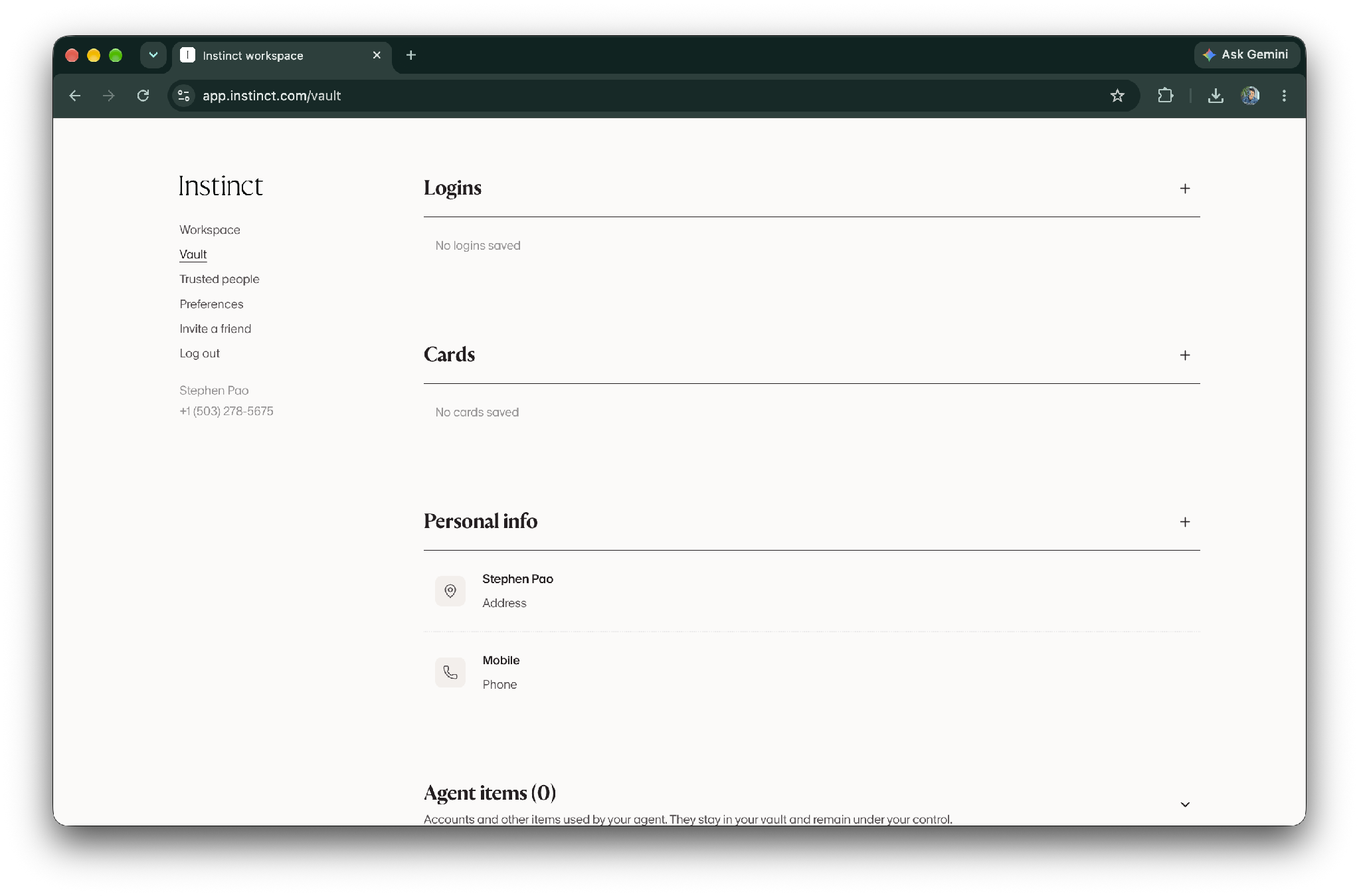
In my personal life, I use a combination of Apple Passwords and 1Password (more on this topic in some future posts). I am looking forward to the Instinct AI integration with 1Password, which is “coming soon.”
To do things on my behalf, the AI sometimes needs to see or act on data in my online accounts. Just as I’ve set up my AI agents to use their own Google account, I’ve also set up a separate 1Password account for Hermes containing certain credentials for online services, including some where I’ve stored credit card numbers. Truthfully, this 1Password account also still holds my Chase Ink card number for historical reasons, and I probably should clean that up one day. Even if the 1Password authorization flow makes a password or credit card number invisible to the AI model, I still want a hard ceiling on what I could accidentally authorize.
This is partly protection from the agent, but it is also protection from my own human error. Even as a self-proclaimed power user, I sometimes get prompt fatigue, approving routine requests perhaps too quickly. For me, having a separate vault protects me from those moments of inattention that could inadvertently cause me more harm than necessary.
Restricting credit card usage
The one area where I still don’t really trust AI is unfettered access to credit cards. I do not want an agent to receive my primary credit card number and then rely on conversational instructions about spending restrictions. I think limits should exist within the payment system itself, outside any instructions I give the AI.
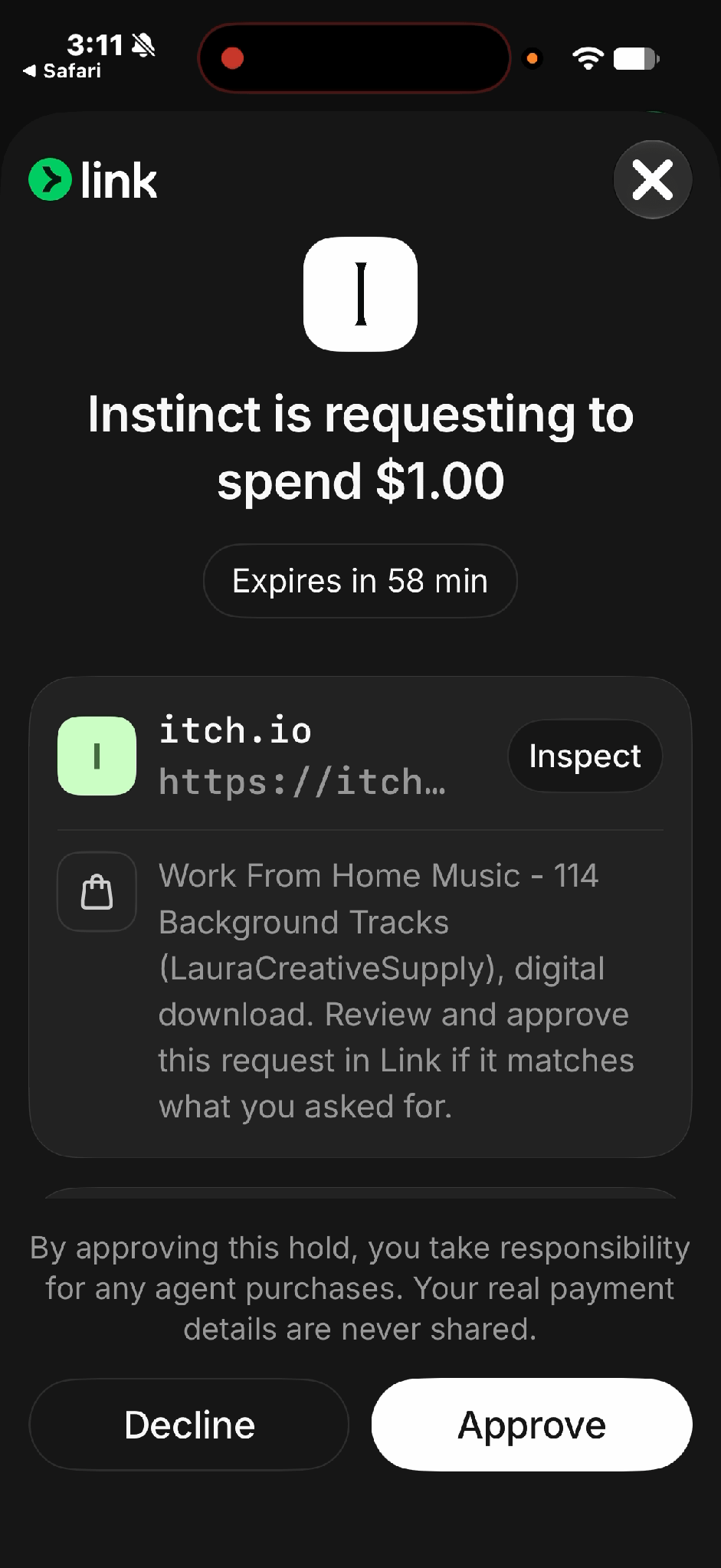
I like the direction Link (a service by Stripe) is taking to protect purchases by AI agents. Link is now a preferred payment method for many AI vendors, and I’ve used it a lot for setting up my development environment. Even though I’ve authorized Instinct to pay for services with Link, that authorization doesn’t let the AI spend freely. Each purchase is a separate request for a specific amount from a specific merchant, and nothing is charged until I approve it with biometric authentication (Face ID) using the Link app on my iPhone. Link pays the merchant with a one-time virtual card number, so neither Instinct nor the merchant ever sees my real card number. In the future, I expect to be able to pre-authorize purchases within limits I set for the agent.
The screenshot below shows the Link prompt on my iPhone to approve a purchase Instinct attempted on my behalf for a digital download from itch.io. The request would have expired within the hour without my approval.
I also like Capital One’s merchant-specific virtual card numbers. An eligible virtual card number can be used with one merchant, managed separately, and deleted or replaced without changing the physical card number. Marsha and I already use a bunch of these virtual card numbers for online shopping without AI.
I don’t give these virtual card numbers to my AI agents directly. Instead, I store each one in the merchant account where it belongs. This way, an agent logging into that merchant account could use the card already on file. If anything goes wrong, the number only works at that one merchant, and I can delete it without touching my real card. The tradeoff is that an agent logged into one of those accounts could still buy almost anything that the merchant sells. In my case, the most extreme examples are Target and Walmart, which each have their own Capital One virtual card number, but they also sell just about everything. In these cases, locking down to a single merchant protects the card number itself more than my wallet!
For now, I don’t let Instinct log in to my merchant accounts, because I’m not ready to put my credentials in Instinct’s vault. Hermes, by contrast, can already use its own separate 1Password account.
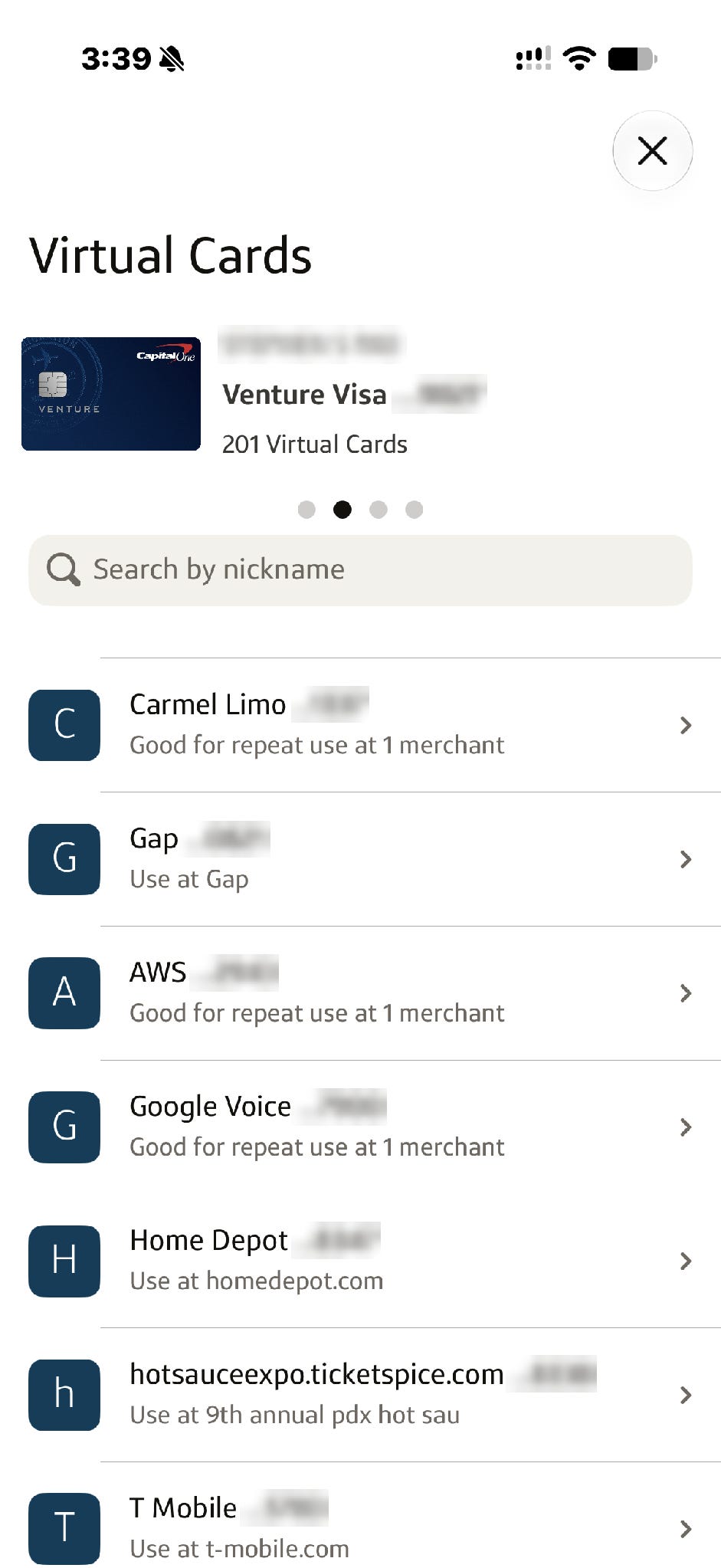
Link limits how much an agent can spend and when, while these virtual cards from Capital One limit where. Both are useful because they turn a vague instruction into an enforceable boundary. “Do not spend more than $200” is merely advice if it exists only in the prompt. A card that cannot be charged more than the approved amount, or that cannot be used anywhere but an approved merchant, is a control.
The product lesson
All of the companies in this ecosystem are solving pieces of this AI access problem, but I feel the customer education is still limited. For example, I like the messaging around how products like 1Password keep the LLM (large language model) from seeing passwords, and that protection is genuinely valuable. However, I fear that people can be left with the impression that the larger access problem has been solved (and it hasn’t). The password may be hidden while all of my emails and files remain broadly available after login. Some of the tools for narrower access already exist. Google Drive, for example, lets an app request access only to the specific files a user chooses, but agent products tend to ask for everything because broad access makes them more useful at the outset.
I would like the products to ask a more useful series of questions around agent identity, including:
What data is accessible?
For how long?
Can it send messages or impersonate a human?
Can it make purchases without separate approvals?
What is logged?
What can be revoked when the task is done?
It would be great if the technology could take care of these points, rather than leaving it to very manual (and human) controls like the ones I’ve hacked together operationally. Ideally, a single service would let me create an agent compartment with an independent identity, a small collection of entries, explicit usage rules, expiration dates, and an audit history.
The rule I am converging on
I do want AI to read my email and my documents. I do want it to log in to services and handle more routine work for me. I am not trying to keep agents isolated to some toy sandbox where they are unable to do anything useful.
I get that I’m in the minority with my caution. Most people will click Connect, approve a login, and keep going.
The compromise I’ve reached is to give AI its own identity, deliberately share the data that it needs, give it its own vault with a discrete set of secrets, and use payment systems with built-in controls. I also want it to be clear when the AI is authoring correspondence, with everything auditable by me. I want to be able to revoke access when the work is done. Put simply, I want my AI to get only what the system itself enforces, not what a prompt asks it to respect. I just wish the products themselves made it easier to do all of this.
AI disclosure: I used AI tools during the drafting and editing process to help clarify structure and language. All ideas, judgments, and final wording are my own.