


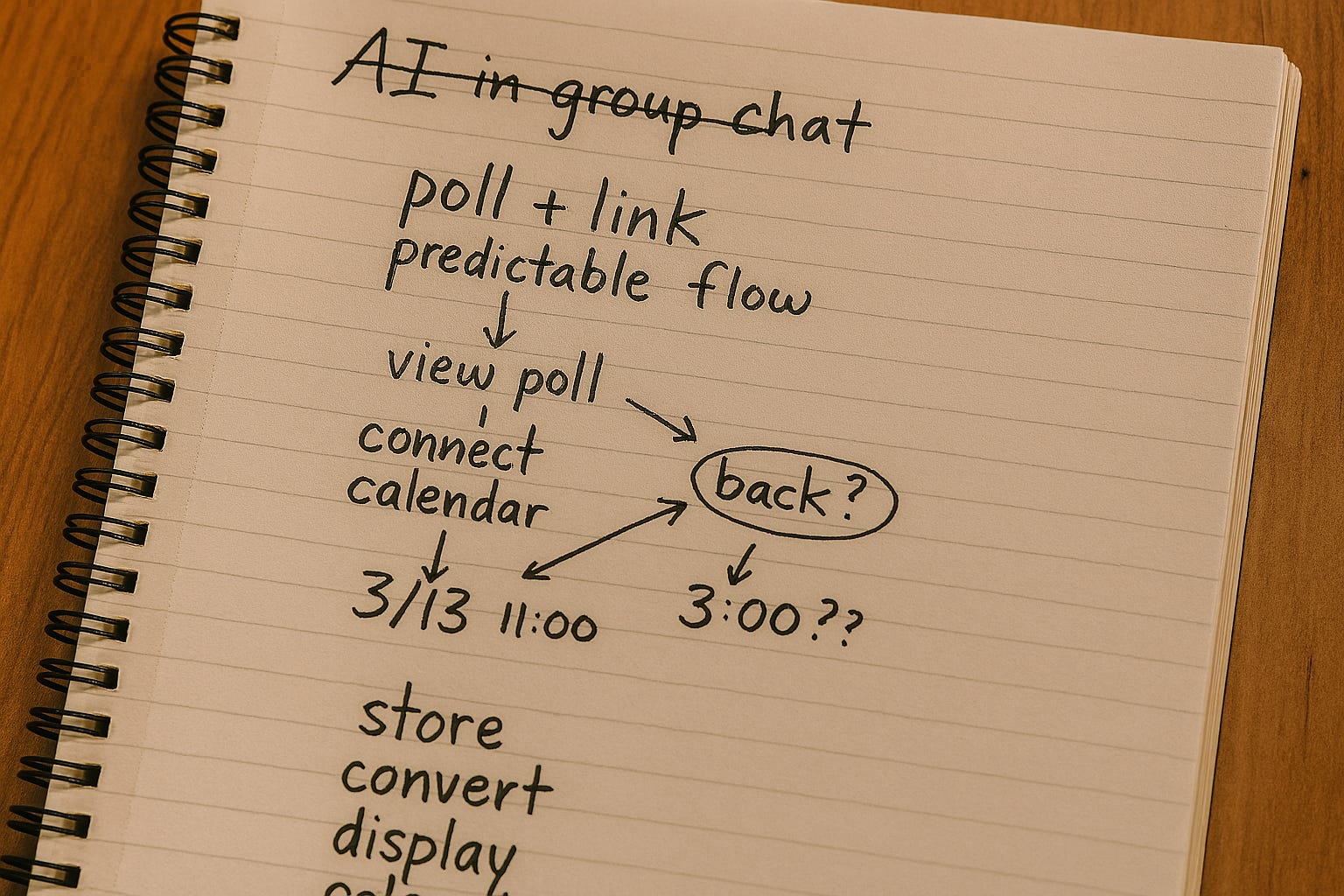
I started this project for a very small, very human reason. I wanted to get my friends together for happy hour without the endless back and forth of “what works for you?” and “how about next Monday night?” Like most people, we already had group chats, so my first instinct was obvious. Add AI to the conversation and let it sort things out.
That turned out to be the wrong idea.
Once I included AI in group conversations, the social dynamics changed immediately. People didn’t just answer questions anymore. They started talking to the AI to mess with it. Even when I configured the AI to mostly listen and only speak when mentioned, it still interrupted human conversations in unexpected ways. I found myself regularly telling it not to interrupt us.
That was my first signal that something deeper was going on. Scheduling isn’t really a conversational problem. It’s a process problem. And conversational AI, for all its strengths, is actually pretty bad at keeping a process on track.
That’s when a simple idea became clear to me:
The AI shouldn’t be the tool. The AI should drive the tool.
Instead of trying to massage any new social behavior, I needed something boring, familiar, and predictable. I wanted something closer to Doodle than a chat bot. I wanted AI to help build and operate that system, not to replace it with unstructured conversation.
I’m writing this partly as a personal reflection and partly as a reality check. I wanted to see what it actually feels like to build something real with AI, not just a demo. Some parts of this post are about the human side of that experience. Other parts go into the details that surprised me once the system started to get used in real ways.
I summarize what I’d do differently next time near the end of the post, after walking through how I got there.
Short version: Building fast with AI worked well for exploration. The hard parts only showed up once real people, real calendars, and real time were involved.
When this started to feel real
The moment I decided the tool needed to work with Google Calendar, everything got more serious.
Reading calendars, checking availability, and creating events meant “OAUTH” (a standard authorization mechanism used by Google, Apple, Microsoft, and others). Getting permissions via OAUTH meant redirects, or people leaving the flow of the applications to grant permissions and coming back later. Suddenly I wasn’t hacking on a clever script anymore. I was building a real web app with real trust boundaries.
I tried to be careful. I simplified the login security flow and required authentication up front. I followed Google’s guidance and only asked for calendar permissions when the user actually needed them. If someone wanted to check availability, I asked then. If they wanted to create an event, I asked for more permissions at that moment.
On paper, this sounded responsible.
In practice, it exposed a new class of problems around losing context.
A typical failure looked like this: I’d be viewing a poll, click “connect calendar” to check availability, complete the Google authorization flow, and then land on the list of calendars to check against with no obvious way back to the poll I’d been working on. I’d be stuck in “no man’s land” forced to return to the home page and find the poll again in order to submit my responses.
Nothing was technically broken. OAUTH worked. Calendars loaded. But the app had forgotten why I was there.
From the outside, that feels awful. Not “this is buggy,” but “this feels like Steve’s homegrown hack.” And for something as casual as coordinating with friends, that wasn’t acceptable. If the tool feels harder than just texting, it has already failed.
Access problems I didn’t expect
As the project grew, access rules started creeping in quietly.
Vibe coding had defaulted to adding secrets everywhere. Each participant had their own secret link. There was also a generic link meant to work for everyone. At first, this felt secure and convenient.
Then I added a second way to interact with the system.
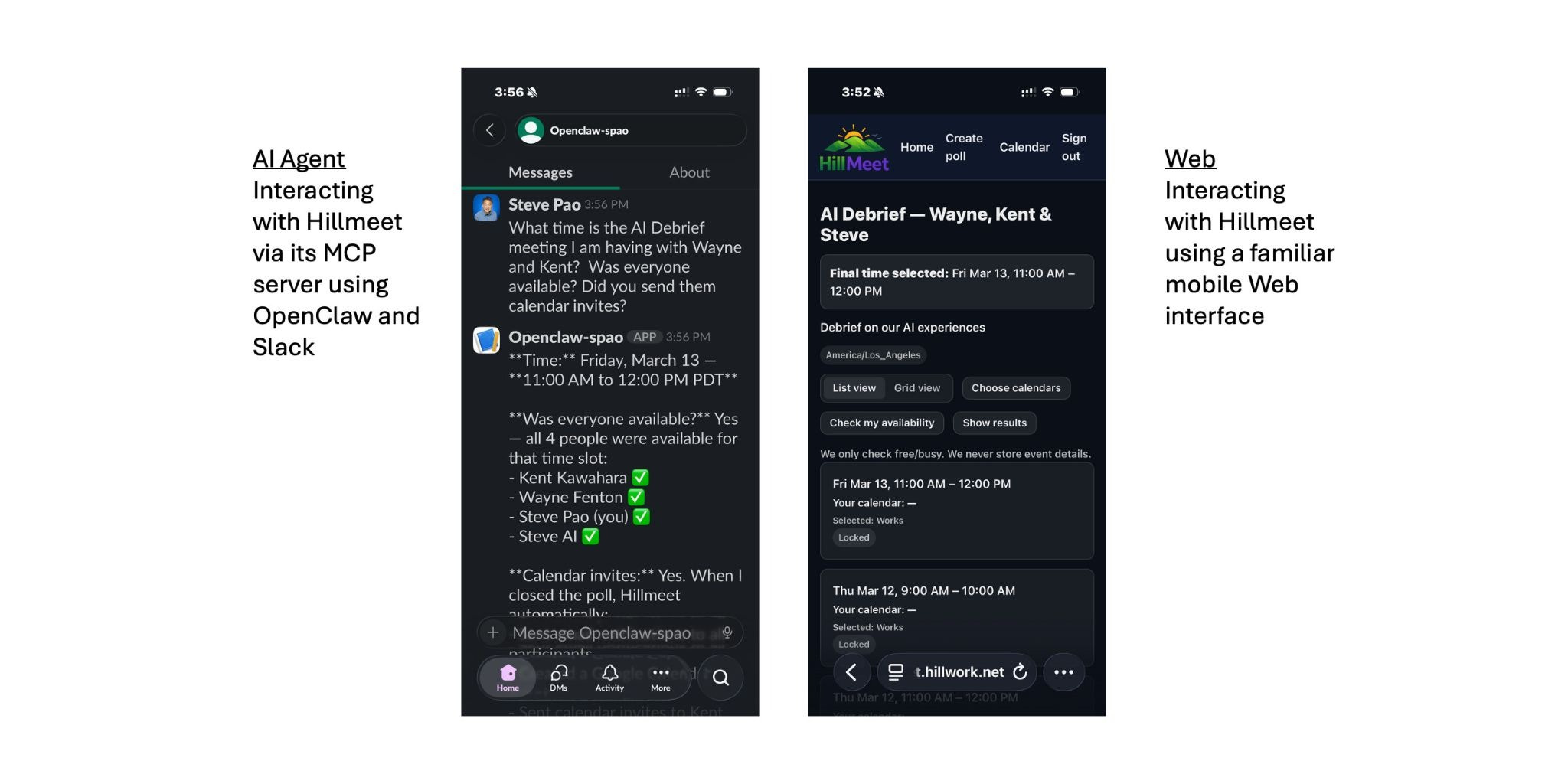
Once I introduced an MCP gateway so an AI agent could interact with the app, two things broke in ways that surprised me. Email notifications sent from the MCP path didn’t behave the same way as ones sent from the web app. And some “everyone” links relied on web session state, which meant they couldn’t be rediscovered later by a stateless agent.
The fix wasn’t clever crypto. It was storing encrypted secrets in the database so access could be resolved the same way no matter how someone arrived. That was the first time I really felt how every new integration pulls hidden assumptions into the open.
When time handling went wrong
The moment things crossed from messy to dangerous wasn’t access control. It was time.
I thought I was being careful. I stored times in UTC. I converted them for display. Web sessions carried user time zones, so everything looked right when I tested it in the browser. I assumed that meant I was safe.
Then I sent a meeting invitation that was supposed to be March 13 at 11am Pacific.
It showed up as 3pm Pacific.
That’s not a small error. That’s a trust breaking error. Worse, I couldn’t immediately explain why it happened.
What eventually became clear was unsettling. Different parts of the system were doing what they thought was the right thing, but under different assumptions. Web paths relied on session time zones. MCP paths ran in server time. Some code parsed timestamps explicitly. Other code let the runtime guess. Nothing was obviously wrong on its own. Together, they were wrong.
That was the moment I stopped trusting my mental picture of how the system worked.
Why I couldn’t have specified this up front
I know some readers will ask why I didn’t just write better specs at the beginning. Others may wonder why AI didn’t magically prevent this.
I’ve heard plenty of success stories where teams define everything up front, write exhaustive tests, and then let AI agents run until all the tests pass. I believe those stories. I also believe they tend to work best when the problem is already well understood by the authors.
That wasn’t my situation.
I couldn’t have written the right rules at the start because I didn’t yet know what the system really was. My hardest problems weren’t about calculations or algorithms. They were about how many ways people and systems would interact, and which hidden assumptions actually mattered.
Every meaningful rule I eventually wrote came after something broke in a way that made me uncomfortable.
How I used AI once things broke
Once time broke, I stopped asking AI to fix a bug and instead asked it to help me look at the whole system.
Not just calendar code. Not just MCP code. Everything.
I wrote down a simple rule in plain language: store times in one place, convert them deliberately, and never rely on defaults. Then I walked the entire codebase with AI. Controllers. Services. Views. Email generation. Calendar files. MCP tools. Anywhere time entered or left the system.
The result wasn’t just a fix. It was a shared understanding of where assumptions were allowed and where they were dangerous. It also left behind a checklist so I wouldn’t quietly reintroduce the same problems later.
What I learned from building this this way
Vibe coding didn’t fail me. It did exactly what it’s good at. It helped me build something real very quickly and surface reality early.
The problem wasn’t speed. The problem was invisible rules.
Vibe coding is great at creating working paths. What it doesn’t do automatically is make sure all those paths behave the same way under the hood. That part only becomes obvious once the system is exercised in different ways.
Spec later, but seriously
I don’t think I can write good rules before I’ve seen where things actually break.
Before something breaks, rules are guesses. After something breaks, rules are grounded in reality.
Vibe coding helped me get to that reality faster. Adding structure afterward helped me turn those lessons into something reliable.
What I’d do differently next time
Looking back, I don’t think the mistakes I made were the result of moving too fast. They were the result of not knowing, yet, where the fragile parts of the system actually were.
Next time, I’d be more deliberate about separating exploration from reliability. I’d lean fully into exploration early, expecting things to be rough. Then, once something starts to matter, I’d pause and treat that area more carefully.
I’d also pay closer attention to early trust signals. The moments when something feels off, even if it technically works, are usually pointing at deeper assumptions that need attention.
Finally, I’d use AI earlier to see wider, not just move faster. Asking it to enumerate, scan, and review once complexity starts to creep in turned out to be far more valuable than asking it to sprint ahead.
Closing
Stepping back, what this project changed for me most is how I think about AI and speed. I no longer see AI as something that magically gets things right. I see it as something that helps me run into the uncomfortable parts of a system sooner, while I still have the patience and curiosity to deal with them honestly.
AI Disclosure: I used my OpenClaw agent to draft this post based on my prompts and ideas. I edited it and stand behind the final version. If you are interested in how I trained OpenClaw to sound like me when writing, I made a YouTube video about how I did this.