


Editor’s note: Sorry for the out-of-cycle email. This was late-breaking news.
Earlier today, I let my Microsoft account get hacked. Marsha asked me to warn my Substack readers about what happened with the hope of letting others know that anyone can get fooled.
For context, I spent ten years at Barracuda Networks, with line responsibility for the company’s email security offerings. I didn’t just work near this problem. I was responsible for building the product to stop it. Of course, all that background didn’t save me this morning. It actually made this even worse because I know enough about this whole thing to be truly embarrassed, not just annoyed.
The email
The email came from my mom’s accountant. It’s a small tax office in Texas that has done her taxes since my dad passed away in 2013. The email thread looked real involving correspondences with people in the office I knew and with their real email signatures. The request was for me to review an attached PDF, with a password to open a file. None of this was out of the ordinary for that office.
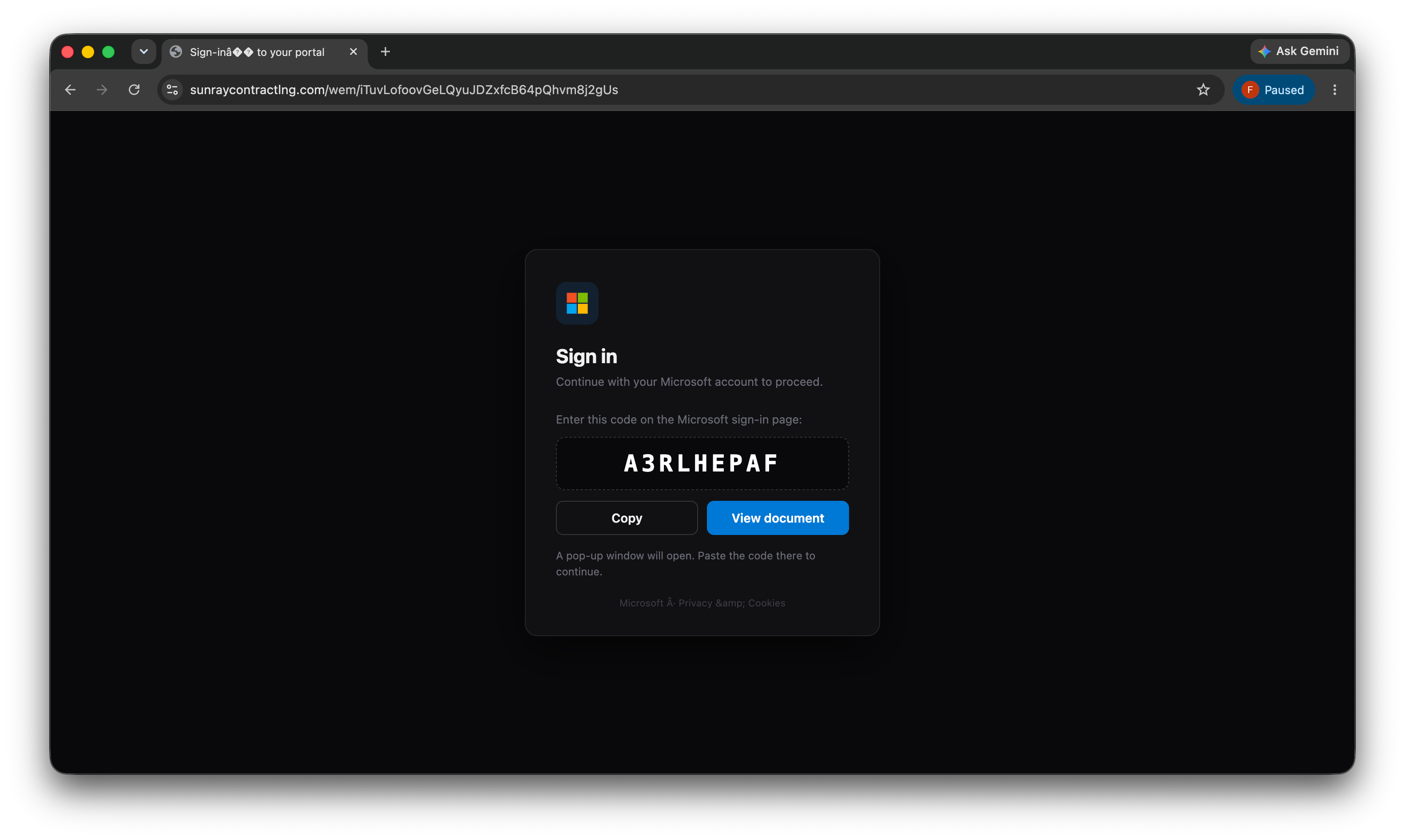
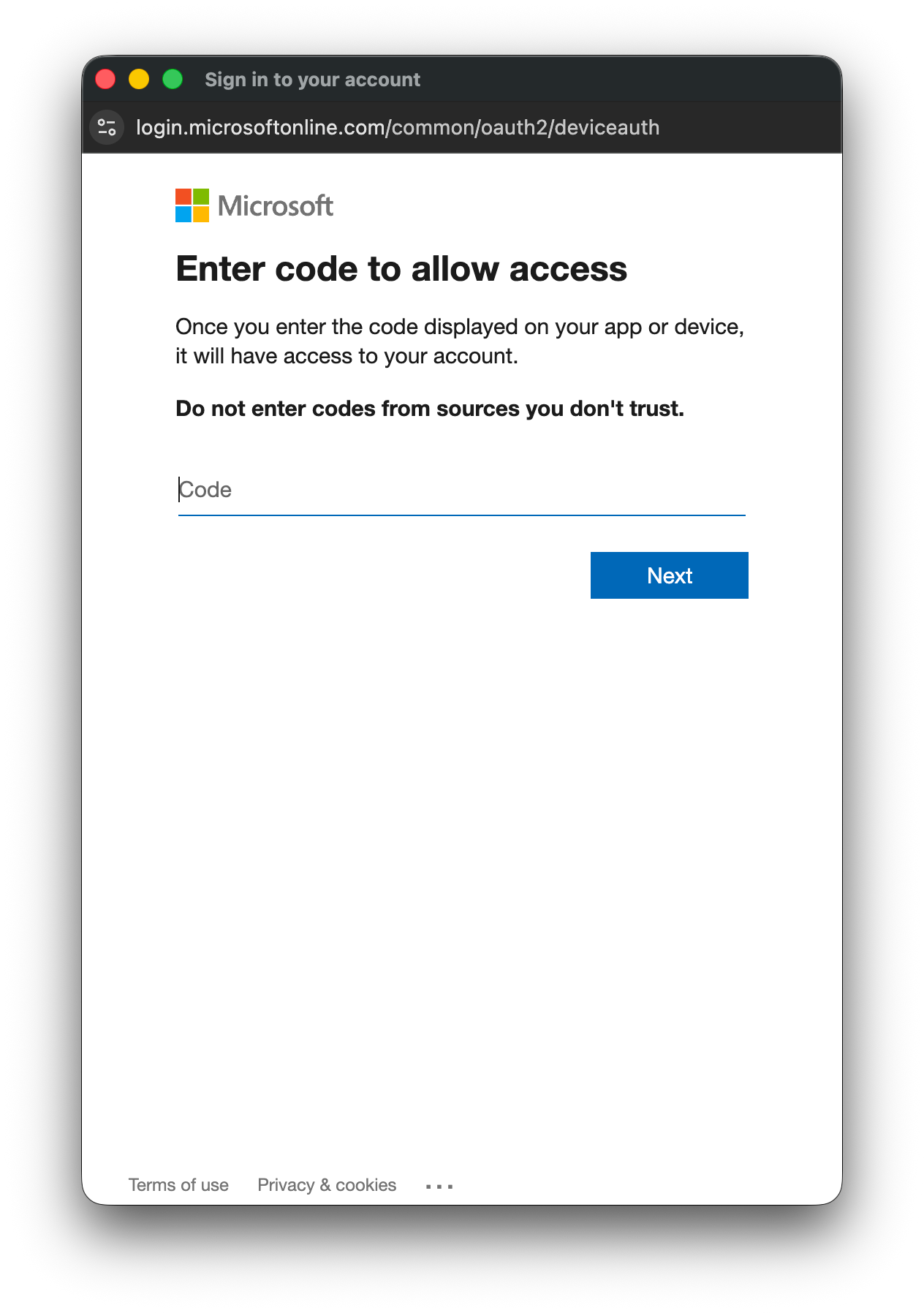
Of course, the real trick with password-protected files is that the password keeps the file hidden from every scanner sitting between the sender and me. A scanner can’t check what it can’t open. Instead of a file, I got a fake Microsoft prompt with a code followed by a real Microsoft sign-in box instructing me to enter that code.
Something wasn’t right
Unfortunately, I typed the code thinking it would open a file, but there was no file to see. Instead, I was directed to a generic Microsoft status page, and I realized pretty quickly something was off.
So I copied the email source into an AI assistant to check the validity of the email. The good news is that it was legitimately sent by the accounting office. The bad news is that it was pretty clearly a phishing email.
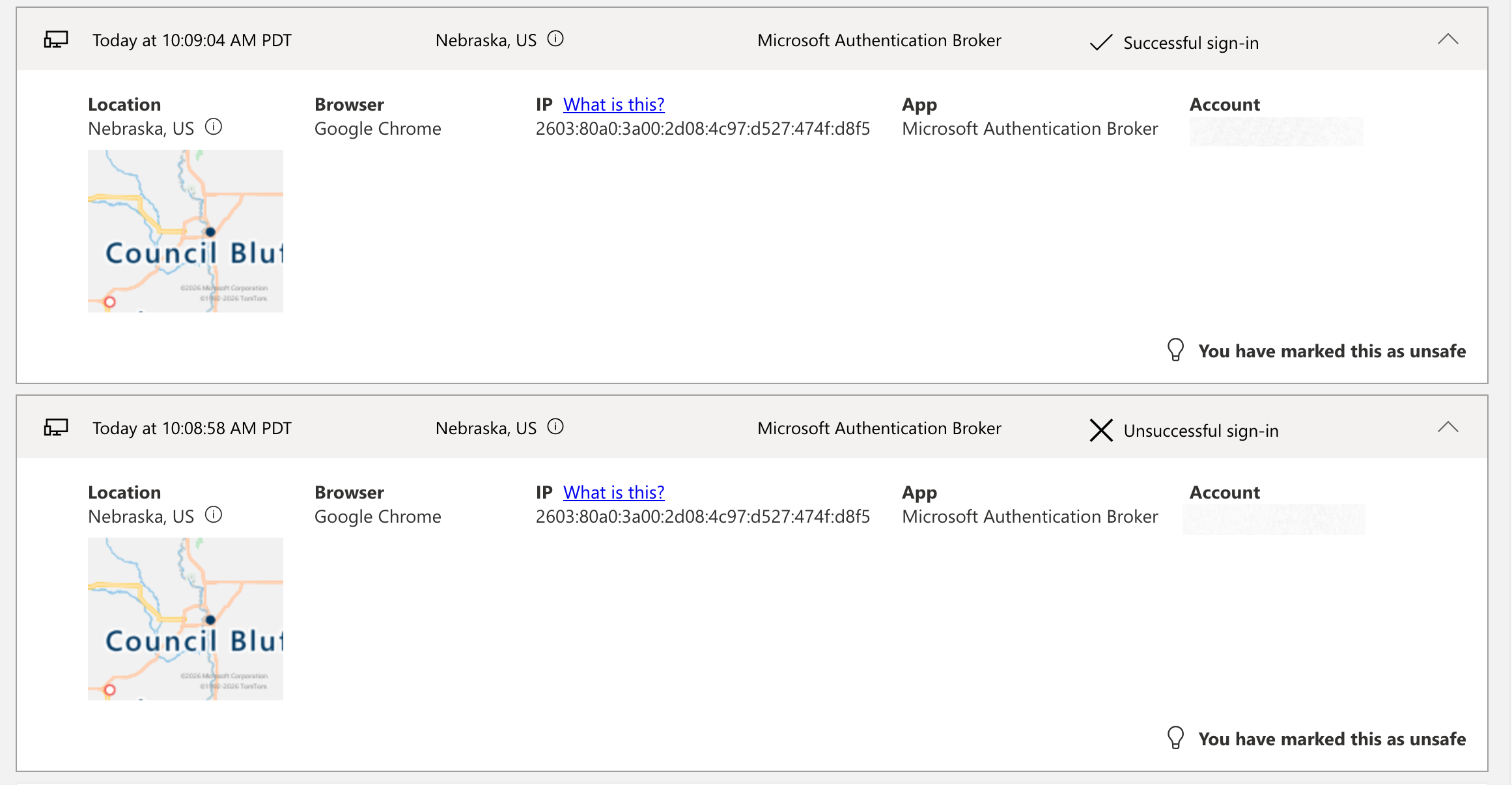
That’s what sent me straight into my Microsoft sign-in logs, and I found a problem.
What actually happened
I didn’t login from Nebraska. I was a victim of device code phishing, and someone had free rein over my Microsoft account for a few minutes. The code belonged to someone else’s request. It works because it looks pretty real. If there’s one thing worth naming, it’s being unexpectedly asked to enter a code. In this case, it was triggered by a link I never intended to visit.
Locking down my account
From the Microsoft console, I used “Sign out everywhere” to kill any active tokens.

Then, I changed my password. I went through my Outlook rules, line by line. I checked Sent Items for anything sent in my name. I looked through the list of apps tied to my account, looking for anything I didn’t recognize. Nothing extra was hiding among them.
I emailed the accountant and the office owner directly, letting them know their accounts had likely been compromised. They emailed me back acknowledging the issue. That felt like the end of it.
One more scare
Then, a couple hours later, I went back into the Microsoft setup I manage for my family. I pulled up the application audit log, just to be sure. I panicked a little bit when I saw an entry with a new service principal added.
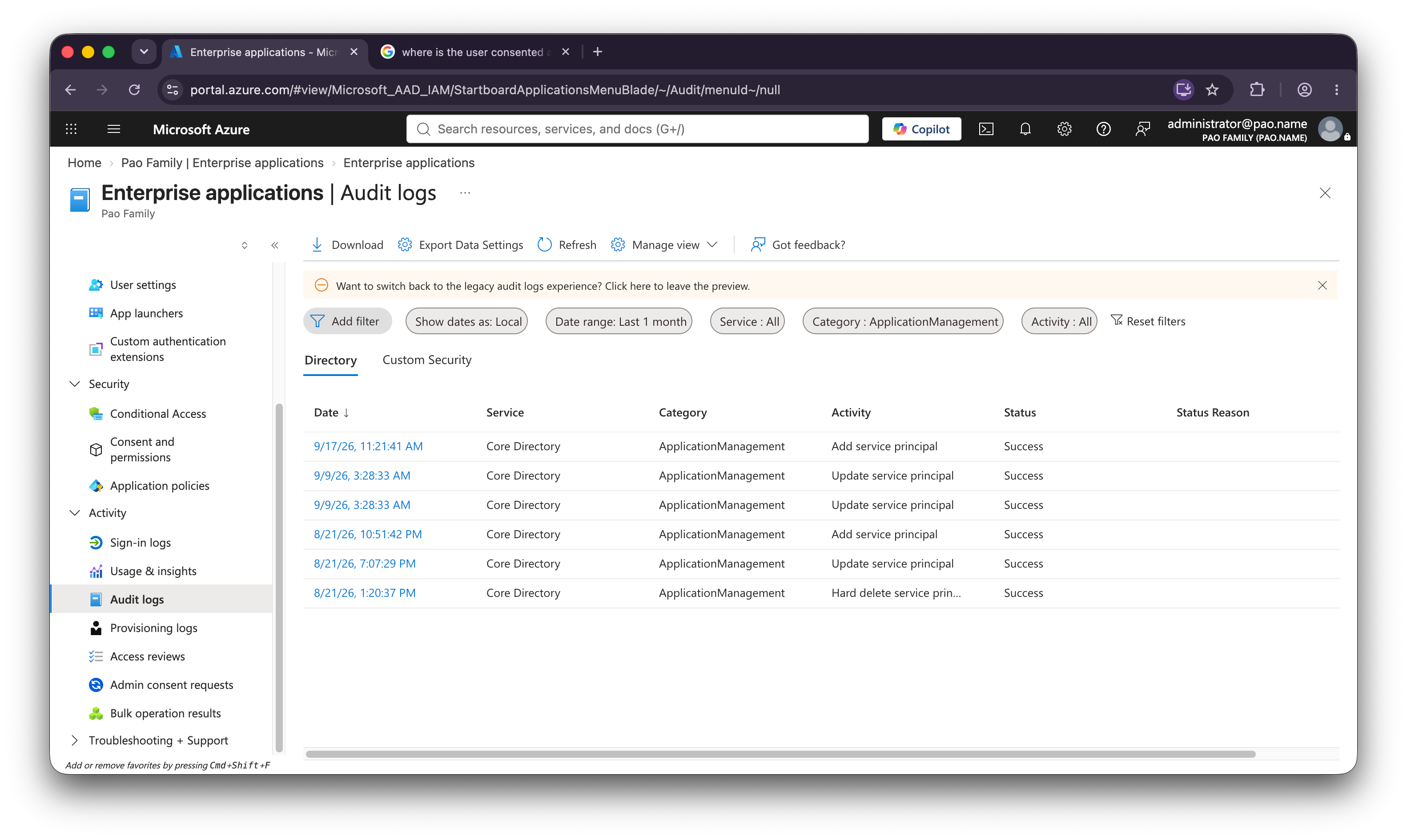
I was fearing that there was some planted application on my system and that I’d missed the real damage. I took a bunch of screenshots and loaded them back into my AI assistant, and it assured me that “Microsoft Azure AD Internal - Jit Provisioning” added “Lifecycle Workflows” which was Microsoft doing its own routine housekeeping, totally unrelated to the morning’s attack. While I was relieved, I also couldn’t get rid of the feeling that something else was lingering. That feeling sent me back through everything else I hadn’t checked yet, including my security info, my devices, my safe senders list, and my mail folders. All of it came back clean, too. So, for now, I’m going to let this sit.
What stays with me
The technical stuff isn’t what made me feel bad, as I have more background in all of this stuff than most people ever should. To me, the real problem was how little all of the background helped in real-time. The message came from a real email account. It asked for something completely normal. The sign-in itself was just me typing a code into a window that looked completely real, because it was completely real. Having a security background during my professional career didn’t stop me from falling for the exact thing I spent a decade preventing.
Getting back to the reason Marsha wanted me to post this, it’s really just to show a bit of humility to remind others to remain vigilant. I don’t feel any need to post a list of red flags for everyone to follow. I already had most of those memorized, and it didn’t help me at 10am this morning. I think the bigger thing is just to remember to respond quickly, starting with “Sign out everywhere” and to follow the other steps. Then, let the other hacked parties know about the incident and remind others that these things happen. Brutal.
AI disclosure: I used AI tools during the drafting and editing process to help clarify structure and language. All ideas, judgments, and final wording are my own.
Thanks for sharing. Useful stuff. Also, very scary.
It's my opinion that acting quickly is the real problem.
Every time something asks for any kind of credentials, stop and consider if this was expected, and if it is proceeding exactly as normal.